Buy kalmykia.eu ?
We are moving the project
kalmykia.eu .
Are you interested in purchasing the domain
kalmykia.eu ?
domain@kv-gmbh.de · 0541-91531010
Buy kalmykia.eu ?
Is my modem defective?
To determine if your modem is defective, you can try troubleshooting steps such as restarting the modem, checking the cables and connections, and ensuring that the modem is receiving power. If these steps do not resolve the issue and you are still experiencing problems with your internet connection, it is possible that your modem may be defective. In this case, you may need to contact your internet service provider for further assistance or consider replacing the modem. **
Which modem is suitable?
The suitable modem depends on the specific needs and requirements of the user. For basic internet browsing and light streaming, a standard modem with a built-in router may be sufficient. However, for heavy streaming, online gaming, or multiple devices connected at once, a high-speed modem with advanced features such as DOCSIS 3.1 technology and multiple Ethernet ports would be more suitable. It's important to consider the internet speed provided by the ISP and the number of devices that will be connected to the modem when choosing the most suitable option. **


Similar search terms for Modem
Top-Angebote
Products related to Modem:
-
TP-LINK AC2100 Dual-Band Wi-Fi VDSL/ADSL Modem Router, Used - Like NewAbout this product Compatible with the VDSL /ADSL standard, the Archer VR600 V3 supports super-fast combined speeds of up to 300 Mbps (over 2.4 GHz) and 1733 Mbps (over 5 GHz). 4 Gigabit LAN/WAN ports accept connection from Cable Modem or Fibre Modem, helping wired devices achieve peak performance for HD streaming and gaming. The USB port supports 3G/4G dongle connection. MU-MIMO technology serves up to four devices at once, reducing wait time, increasing Wi-Fi throughput for every device, and making each stream more efficient. 4 x 4 MU-MIMO Technology – simultaneously exchanges data with several devices, achieving speeds which are 4x faster than standard AC routers. Cable connection. 3 Gigabit LAN Ports, 1 Gigabit LAN/WAN Port, 1 RJ11 Port, 1 USB Port. Transfer speed up to AC2100Mbps. Weight 0.42kg. Size L21.58, W16.38, D3.85cm. EAN: 6935364096885.89,99 £*Shipping: 0,00 £Secure redirect to the provider
-
Asus 4G-N16 4G LTE Wi-Fi Modem Router - N300 300 Mbps Wi-Fi, 150 Mbps LTE, SIM Slot - BlackDescription Provide fast internet access with the ASUS 4G-N16 Wi-Fi N300. This router is designed for users seeking reliable connectivity through 4G LTE mobile broadband, delivering internet speeds of up to 150 Mbps. With its unlocked SIM slot, you can choose your preferred mobile network provider, ensuring flexibility in your internet usage. The ASUS 4G-N16 features a robust design with two LTE antennas, enhancing coverage and signal strength for a stable connection. Weighing just 330 grams, it is compact and easy to position in your home or office. An essential addition for anyone needing a dependable and speedy internet solution.48,99 £*Shipping: 0,00 £Secure redirect to the provider


-
Where can I get a modem?
You can get a modem from various places such as electronics stores, department stores, or online retailers. Many internet service providers also offer modems for purchase or rental when you sign up for their services. It's important to check with your specific ISP to see if they have any specific requirements or recommendations for modems before making a purchase. **
-
Search for an affordable, simple modem.
One option for an affordable, simple modem is the Motorola MB7420. It is a reliable and easy-to-use modem that is compatible with most major cable internet providers. It offers high-speed internet access and has a compact design, making it a great choice for those looking for a straightforward and budget-friendly modem. Additionally, it has a built-in Gigabit Ethernet port for connecting to a router or computer. **
-
Is my modem capable of WLAN?
To determine if your modem is capable of WLAN, you will need to check the specifications of your modem. Look for information about wireless capabilities such as Wi-Fi or WLAN in the modem's documentation or on the manufacturer's website. If your modem supports WLAN, it will have built-in Wi-Fi capabilities that allow you to connect wireless devices to your network. If you are unable to find this information, you can also contact your internet service provider or the manufacturer of the modem for assistance. **
-
How do you connect a modem?
To connect a modem, first, you need to plug one end of an Ethernet cable into the modem and the other end into the Ethernet port on your computer or router. Then, connect the power adapter to the modem and plug it into a power outlet. Once the modem is powered on, it will establish a connection with your internet service provider. Finally, you can test the connection by opening a web browser and trying to access a website. If the connection is successful, you are now connected to the internet through the modem. **

Where do you buy a modem?
You can buy a modem from various places such as electronics stores like Best Buy, online retailers like Amazon or Newegg, or directly from your internet service provider. It's important to research and compare different modems to find one that best fits your needs and is compatible with your internet service. Additionally, consider factors such as price, speed, and customer reviews before making a purchase. **
What is a fiber optic modem?
A fiber optic modem is a device that converts digital signals into light pulses for transmission over fiber optic cables, and vice versa. It is used to connect a computer or network to a high-speed fiber optic internet connection. The modem is responsible for encoding and decoding the data signals to enable communication between the connected devices and the fiber optic network. This technology allows for faster and more reliable internet connections compared to traditional copper wire modems. **
Top-Angebote
Products related to Modem:
-
TP-LINK ARCHER VR2800 AC2800 Wireless MU-MIMO VDSL/ADSL Modem Router.gadcet-pdp{--g-green:#00a651;color:#1f2430;line-height:1.55;font-size:inherit;max-width:760px}.gadcet-pdp>*:first-child{margin-top:0}.gadcet-pdp p{margin:0 0.9em}.gadcet-pdp h3{font-size:1.05em;font-weight:600;color:#11161f;margin:1.4em 0.5em;padding-left:.5em;border-left:3px solid var(--g-green);border-radius:0;line-height:1.3}.gadcet-pdp ul{list-style:none!important;margin:0 0.9em;padding:0!important}.gadcet-pdp ul li{position:relative;padding:.1em 0.1em 1.5em;margin:0}.gadcet-pdp ul li::before{content:"";position:absolute;left:.16em;top:.45em;width:.36em;height:.66em;border:solid var(--g-green);border-width:0.14em.14em 0;transform:rotate(45deg)}.gadcet-pdp table{width:100%;border-collapse:collapse;margin:.3em 0 1em;font-size:.95em;border:1px solid #e7e9ee!important;border-radius:8px;overflow:hidden}.gadcet-pdp table td{padding:.5em.8em;border-bottom:1px solid #eef0f4!important;vertical-align:top}.gadcet-pdp table tr:last-child td{border-bottom:0!important}.gadcet-pdp table tr:nth-child(even){background:#f7f9f8}.gadcet-pdp table td:first-child{font-weight:600;color:#454c59;width:40%}@media (max-width:600px){.gadcet-pdp table td:first-child{width:42%}} Bring fast, reliable Wi-Fi to your whole home with the TP-Link Archer VR2800 — a dual-band AC2800 wireless MU-MIMO VDSL/ADSL modem router built to keep every device connected smoothly. Key Features Speeds of up to 2167 Mbps on 5 GHz and 600 Mbps on 2.4 GHz 802.11ac Wave 2 Wi-Fi with MU-MIMO technology Broadcom 1 GHz dual-core CPU with two co-processors for peak performance and easy multi-tasking Four external detachable dual-band antennas Compatible with VDSL2, ADSL2+, ADSL2 and ADSL connections Dual-band operation on 5 GHz and 2.4 GHz WPS support for quick, secure connections Ethernet connectivity Operating temperature: 0°C to 40°C Benefits Handles multiple connected devices at once thanks to MU-MIMO, ideal for busy households Powerful processor keeps data transfer rates high even under heavy use Detachable antennas let you position the router for the best coverage Works with a wide range of broadband line types, making upgrades simple Specifications Brand TP-Link Model Archer VR2800 Speed (5 GHz) Up to 2167 Mbps Speed (2.4 GHz) Up to 600 Mbps Wi-Fi Standard 802.11ac Wave 2 with MU-MIMO Processor Broadcom 1 GHz dual-core CPU with two co-processors Line Compatibility VDSL2, ADSL2+, ADSL2, ADSL Frequency Band Dual-band (5 GHz and 2.4 GHz) Antennas Four external detachable dual-band antennas Special Feature WPS Connectivity Ethernet Colour Black Operating Temperature 0°C to 40°C What You'll Receive TP-Link AC2800 (Archer VR2800) modem router in new condition Ideal For Home users who want fast, stable Wi-Fi for streaming, gaming and multiple devices Anyone upgrading from an older ADSL setup to a VDSL2 broadband connection148,99 £*Shipping: 0,00 £Secure redirect to the provider
-
TP-LINK Archer VR400 V2 Wireless Dual Band VDSL/ADSL Modem Router - BlackDescription The TP-Link Archer VR400 V2 Wireless Dual Band VDSL/ADSL Modem Router provides versatile networking for homes and users who need reliable connections for online gaming, HD streaming and large file downloads. It is designed for users with DSL, fibre, cable or 3G/4G internet services who want centralised network access and management. Dual-band Wi-Fi delivers speeds of 300 Mbps on 2.4 GHz and 867 Mbps on 5 GHz. The router supports VDSL2, ADSL2+, ADSL2 and ADSL standards, as well as DSL, EWAN and USB connectivity. Three high-gain antennas, 802.11ac support and beamforming technology help provide stable wireless connections and high coverage. Its USB 2.0 port supports storage and print service sharing, FTP and media servers, along with a 3G/4G dongle. TP-LINK Tether provides access and management through iOS and Android devices, while the operating temperature range is 0°C to 40°C. An essential addition for connected homes requiring flexible broadband and wireless networking.71,99 £*Shipping: 0,00 £Secure redirect to the provider
-
TP-LINK AC2100 Dual-Band Wi-Fi VDSL/ADSL Modem Router, Used - Like NewAbout this product Compatible with the VDSL /ADSL standard, the Archer VR600 V3 supports super-fast combined speeds of up to 300 Mbps (over 2.4 GHz) and 1733 Mbps (over 5 GHz). 4 Gigabit LAN/WAN ports accept connection from Cable Modem or Fibre Modem, helping wired devices achieve peak performance for HD streaming and gaming. The USB port supports 3G/4G dongle connection. MU-MIMO technology serves up to four devices at once, reducing wait time, increasing Wi-Fi throughput for every device, and making each stream more efficient. 4 x 4 MU-MIMO Technology – simultaneously exchanges data with several devices, achieving speeds which are 4x faster than standard AC routers. Cable connection. 3 Gigabit LAN Ports, 1 Gigabit LAN/WAN Port, 1 RJ11 Port, 1 USB Port. Transfer speed up to AC2100Mbps. Weight 0.42kg. Size L21.58, W16.38, D3.85cm. EAN: 6935364096885.89,99 £*Shipping: 0,00 £Secure redirect to the provider
-
Asus 4G-N16 4G LTE Wi-Fi Modem Router - N300 300 Mbps Wi-Fi, 150 Mbps LTE, SIM Slot - BlackDescription Provide fast internet access with the ASUS 4G-N16 Wi-Fi N300. This router is designed for users seeking reliable connectivity through 4G LTE mobile broadband, delivering internet speeds of up to 150 Mbps. With its unlocked SIM slot, you can choose your preferred mobile network provider, ensuring flexibility in your internet usage. The ASUS 4G-N16 features a robust design with two LTE antennas, enhancing coverage and signal strength for a stable connection. Weighing just 330 grams, it is compact and easy to position in your home or office. An essential addition for anyone needing a dependable and speedy internet solution.48,99 £*Shipping: 0,00 £Secure redirect to the provider
-
Is my modem defective?
To determine if your modem is defective, you can try troubleshooting steps such as restarting the modem, checking the cables and connections, and ensuring that the modem is receiving power. If these steps do not resolve the issue and you are still experiencing problems with your internet connection, it is possible that your modem may be defective. In this case, you may need to contact your internet service provider for further assistance or consider replacing the modem. **
-
Which modem is suitable?
The suitable modem depends on the specific needs and requirements of the user. For basic internet browsing and light streaming, a standard modem with a built-in router may be sufficient. However, for heavy streaming, online gaming, or multiple devices connected at once, a high-speed modem with advanced features such as DOCSIS 3.1 technology and multiple Ethernet ports would be more suitable. It's important to consider the internet speed provided by the ISP and the number of devices that will be connected to the modem when choosing the most suitable option. **
-
Where can I get a modem?
You can get a modem from various places such as electronics stores, department stores, or online retailers. Many internet service providers also offer modems for purchase or rental when you sign up for their services. It's important to check with your specific ISP to see if they have any specific requirements or recommendations for modems before making a purchase. **
-
Search for an affordable, simple modem.
One option for an affordable, simple modem is the Motorola MB7420. It is a reliable and easy-to-use modem that is compatible with most major cable internet providers. It offers high-speed internet access and has a compact design, making it a great choice for those looking for a straightforward and budget-friendly modem. Additionally, it has a built-in Gigabit Ethernet port for connecting to a router or computer. **
Similar search terms for Modem
-
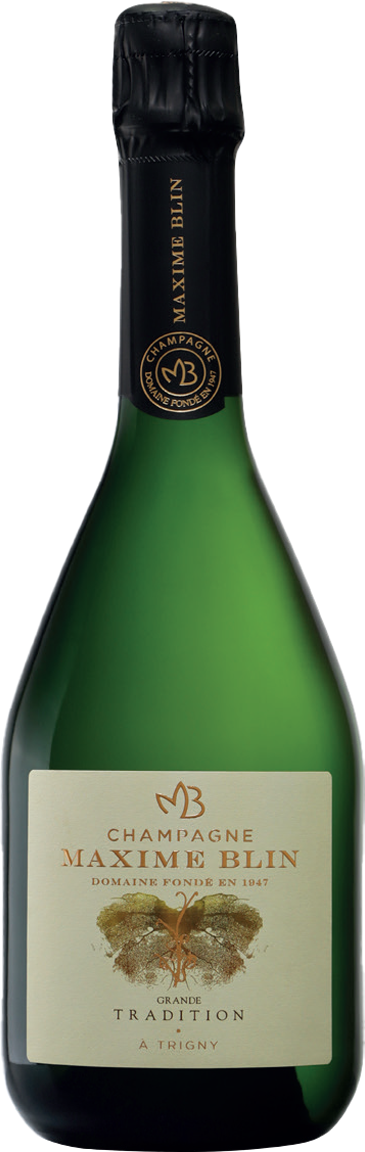
Champagne Brut 'Grande Tradition' Maxime BlinThe 'Grande Tradition' Brut Champagne from the French company Maxime Blin is a Champagne with a classic and refined style, reflecting the identity of the winery. This label is part of the 'Les Fondamentales' collection, a selection that brings together historical cuvées that fully embody the style of the Blin family, each focusing on a specific grape variety. In this particular case, the 'Grande Tradition' highlights the qualities of the Chardonnay cultivated in the Trigny area.The 'Grande Tradition' Maxime Blin Champagne comes from a blend of Chardonnay (90%) and Pinot Noir (10%) grapes grown under certified organic cultivation in the village of Trigny, within the Montagne de Reims area. Here, the vines enjoy excellent southern and south-eastern exposure and the sandy, clay-limestone soil matrix. Following the harvest, the grapes are subjected to a gentle pressing using a Coquard press, with the must thus obtained being transferred to stainless steel tanks for temperature-controlled alcoholic fermentation and subsequent complete malolactic fermentation. The vintage wine is then combined with 30% vins de réserve before bottle fermentation according to the Champenoise Method, combined with 36 months of maturation sur lattes. This is followed by dégorgement and final dosage as Extra Brut, with 4 g/l residual sugar.The 'Grande Tradition' Champagne Maxime Blin has a luminous straw yellow colour with a fine and persistent perlage. The aromatic bouquet expresses fragrant scents of citrus fruits and white flowers, surrounded by memories of bakery and mineral nuances. The taste is fresh, elegant and balanced, with a pleasant savoury trail that rests on a long citrus and mineral finish.57,00 £*Shipping: 48,00 £Secure redirect to the provider
-
Champagne Brut Grand Cru 'Tradition' GatinoisChampagne Gatinois Brut Grand Cru 'Tradition' reflects the structure and expressive depth of Champagne from Aÿ, a Grand Cru village located in the Vallée de la Marne, a few kilometres from Epernay. The village, where Pinot Noir reigns supreme with almost 90% of the entire vineyard area, is the largest of the Champagne villages with more than 4,000 inhabitants. Already famous in ancient times for the quality of its still wines, Aÿ is today established among the largest territories in all of Champagne for the cultivation of Pinot Noir.The Brut Grand Cru Champagne Gatinois 'Tradition' consists of a blend of Pinot Noir (80%) and Chardonnay (20%) grapes, varieties cultivated within the Grand Cru village of Aÿ on soils with a strong chalk component. In the cellar, the grapes undergo a soft pressing, followed by the alcoholic fermentation of the must and then the maturation of the vintage wine for a few months, which is then blended with 30% vin de reserve in the preparation of the sparkling wine base. This is followed by bottle fermentation according to the Champenoise Method, combined with at least 24-30 months of maturation on the lees in glass. This is followed by degorgement and final dosage as Brut, at 7 g/l residual sugar.The Champagne 'Tradition' Brut Grand Cru from the Gatinois sparkling wine company has a light, brilliant straw yellow colour with a refined perlage. Fresh aromas of pear, lime and white flowers emerge from the glass, supported by anelegant mineral timbre and deep hints of brioche and toasted hints. All complemented by the vinous note typical of Pinot Noir. Taste development endowed with excellent freshness and sapidity, with a good persistence in which the sensations previously perceived on the nose reappear.42,00 £*Shipping: 48,00 £Secure redirect to the provider
-
Is my modem capable of WLAN?
To determine if your modem is capable of WLAN, you will need to check the specifications of your modem. Look for information about wireless capabilities such as Wi-Fi or WLAN in the modem's documentation or on the manufacturer's website. If your modem supports WLAN, it will have built-in Wi-Fi capabilities that allow you to connect wireless devices to your network. If you are unable to find this information, you can also contact your internet service provider or the manufacturer of the modem for assistance. **
-
How do you connect a modem?
To connect a modem, first, you need to plug one end of an Ethernet cable into the modem and the other end into the Ethernet port on your computer or router. Then, connect the power adapter to the modem and plug it into a power outlet. Once the modem is powered on, it will establish a connection with your internet service provider. Finally, you can test the connection by opening a web browser and trying to access a website. If the connection is successful, you are now connected to the internet through the modem. **
-
Where do you buy a modem?
You can buy a modem from various places such as electronics stores like Best Buy, online retailers like Amazon or Newegg, or directly from your internet service provider. It's important to research and compare different modems to find one that best fits your needs and is compatible with your internet service. Additionally, consider factors such as price, speed, and customer reviews before making a purchase. **
-
What is a fiber optic modem?
A fiber optic modem is a device that converts digital signals into light pulses for transmission over fiber optic cables, and vice versa. It is used to connect a computer or network to a high-speed fiber optic internet connection. The modem is responsible for encoding and decoding the data signals to enable communication between the connected devices and the fiber optic network. This technology allows for faster and more reliable internet connections compared to traditional copper wire modems. **
* All prices are inclusive of VAT and, if applicable, plus shipping costs. The offer information is based on the details provided by the respective shop and is updated through automated processes. Real-time updates do not occur, so deviations can occur in individual cases. ** Note: Parts of this content were created by AI.